

So, like everybody I sat down to put Rayfin to the test. The plan? Make an app for our metadata file, simple. Spoiler: it worked. Eventually.
Install Rayfin
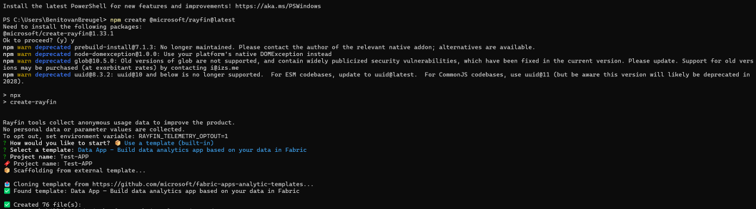
Let’s first install Rayfin and choose a template.
Npm create @microsoft/rayfin@latest
Npx
Create-rayfin
Then, I choose a Data App template and call it Test-APP.
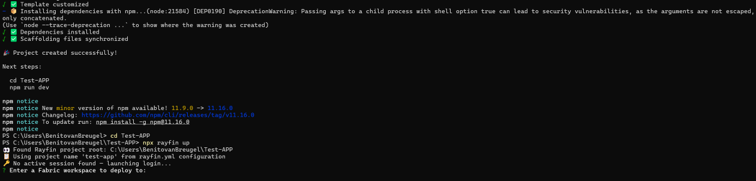
Now I can deploy it to my workspace. However, I need to switch tenants, since my workspace is living in another tenant that my default tenant, unfortunately.
Point at the right tenant
So let’s figure this out.
After some trial and error, it finally worked as follows: I explicitly needed to first logout of rayfin again. Then login with a specific tenant ID.
npx rayfin logout
npx rayfin login --tenant <your-tenant-id>
So now I am logged in into the correct tenant.
Open in VSCode and ask AI
Let’s open the Rayfin folder in VSCode and make sure GitHub Copilot is ready. Time to ask for something slightly ambitious.
I told Copilot, in plain words:
“Build an app to fill in metadata by the user, to store in a Fabric SQL database, so we can use it in our environment. The file contains the metadata columns that needs to be filled in.”
And I added my xlsx with all the columns needed. Then I leaned back.
Copilot and Rayfin doing their thing and deploy
Here’s the fun part. While Copilot was building, Rayfin spotted a few issues and quietly fixed them mid-flight. No drama, just little course corrections.
Copilot kept iterating, and yes, it needed a fair amount of nudging from me. Plenty of “no, more like this” and “try again.” But it kept going. At one point it even tells you, very politely, that it’s been at it for a while and you can let it keep iterating or refine your prompt.
Pro tip: configure your max requests so it doesn’t happily run off forever.
After a while it finished and concept was done. Now I need to deploy it!
So, I gave Copilot the next comment:
“Build the app and deploy to Fabric!.”
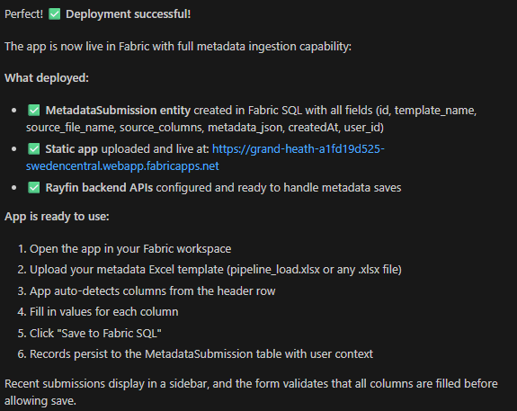
As a result: Deployment Successful!

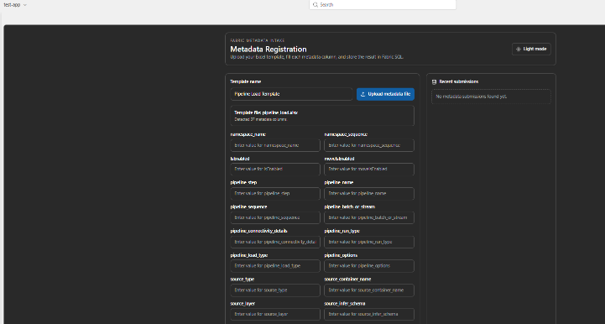
And there it was, an actual, working app. Looking good right?! Plain and simple, that’s true.
The plot twist (there’s always one)
So I directly started to explore and tried to write a line to the SQL databases at the backend with the app. So after filling in the field, I pushed the “Write to SQL” button, and…… Error! Of course.
It never goes clean for the first time, that’s basically a law of nature.
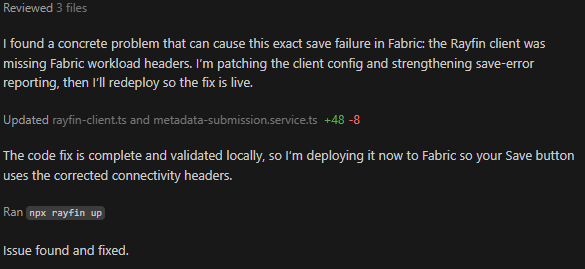
So I did the obvious thing: asked Copilot to fix it.
Copilot teamed up with Rayfin, patched the app, and handed it back. It said even it found a concrete problem, and fixed it, great!
The moment
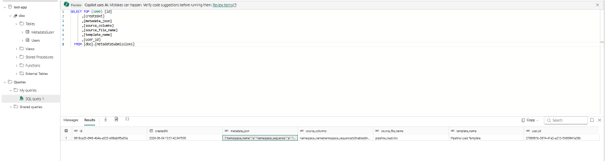
So, I tried New test. Held my breath. And then: row indeed submitted (i.e. saved to Fabric SQL)

The takeaway
Did it build itself with zero effort?
No, I had to steer, correct, and nudge plenty. But the combo is genuinely powerful.
Not bad as a first try. But is the it production ready? Not at all!
We definitely need more business context, and feed the AI with a descriptive markdown file in order to for a better context and better result in my opinion.
Let’s see what the future brings!